November 20, 2024
How to Change Units
Toolpath enables you to set default units and quickly switch between Metric and Imperial measurements by toggling units in the part window.
To set your default units:
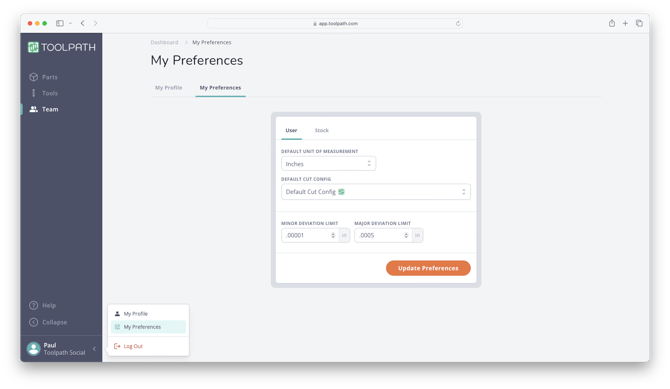
- Click on your name in the bottom left hand corner of Toolpath and selectPreferences:
- Select "Inches" or "Millimeters" from the Default Unit of Measurement drop down:
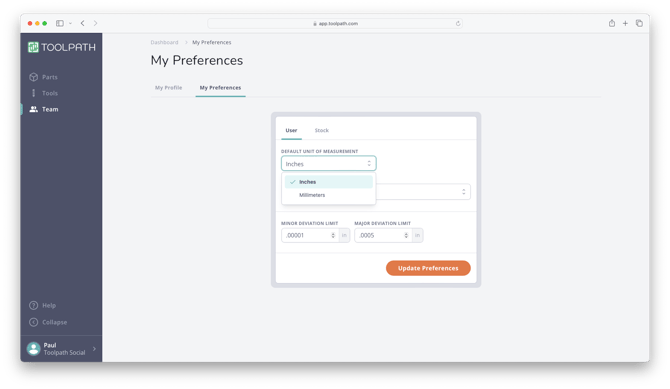
- ClickUpdate Preferencesto save your selection.
To toggle between Metric and Imperial units while viewing a part in Toolpath:
- Open any part fromthe Parts Page.
- In the part window, click on the boundary box measurement in the bottom left hand corner:
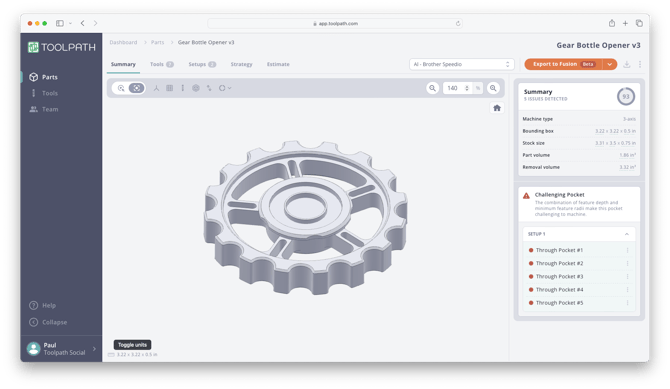
- This will toggle the units between Imperial and Metric across all summary and analysis dialogs. This setting is sticky and will be applied when you open a new part.
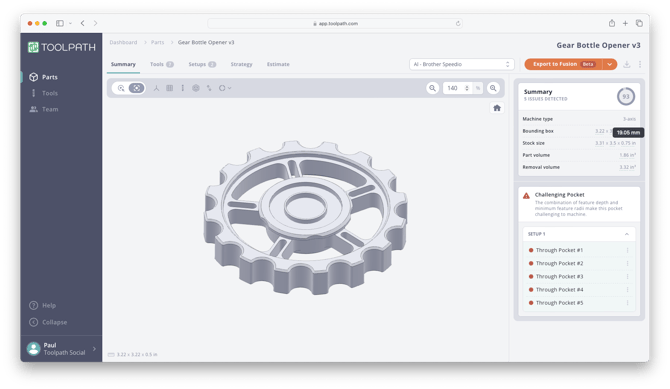
Hover over any measurement to view alternative units as shown above!