July 15, 2025
Troubleshooting File Upload Errors
Common issues that can prevent a part from uploading or being analyzed successfully.
A file may fail to upload for several reasons:
- The file format is unsupported; Toolpath accepts the following file types:
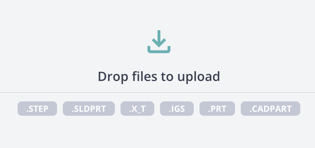
- The file is excessively complex. Toolpath work best with analytical geometry. Files that have been converted from tessellated formats (such as a
.stlor.3mfthat you may get from a 3D scans or 3D printing file) will not work. - The part contains modeled threads.
- The part is extremely large. Toolpath supports parts measuring up to 80 x 50 x 30 inches.
If the error you encountered does not fit any of these descriptions, please let our team know so we can diagnose and resolve the issue.