June 23, 2025
How to see Speeds & Feeds used by Toolpath
Speeds & Feeds for specific features and operations can be viewed in the Features Details, Strategy, and Estimate Pages
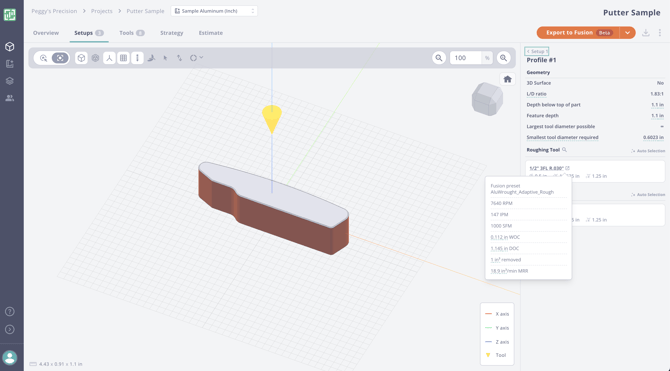
On a Feature Details Page:
Hover over the flyout icon next to the roughing or finishing tool to see the preset and speeds & feeds being used:
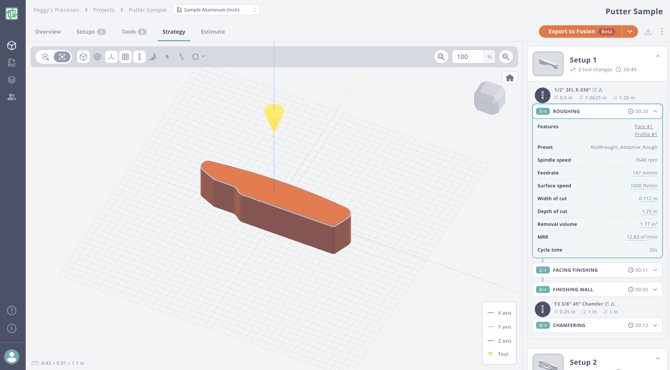
On the Strategy Page:
Expand an operation to see the preset and speeds & feeds:
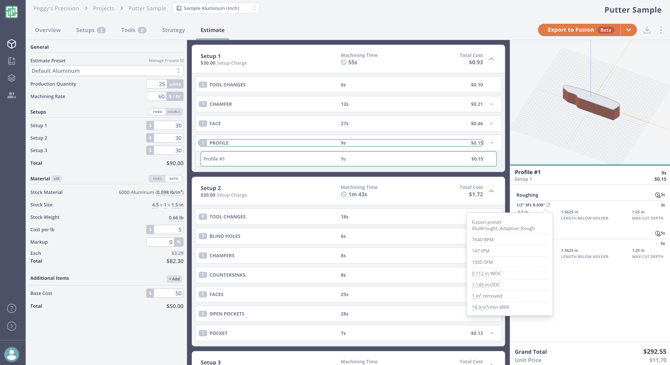
On the Estimate Page:
Click on a specific feature and hover over the flyout icons next to the tool name to see the preset and speeds & feeds. Please see the bottom right below:
Need help getting your speeds & feeds dialed in? Please seeHow to Apply and Manage Tool Presets.