September 11, 2025
How to Create Estimate Presets
Use Estimate Presets to define shop-specific costs for Toolpath estimates.
Estimate Presets let you tune Toolpath estimates for your shop.
No two parts are the same, and neither are any two setups. Use Estimate Presets to represent your average shop costs, and adjust as necessary based on your shop floor knowledge in the Estimate page when viewing a workspace.
To create a new Estimate Preset:
-
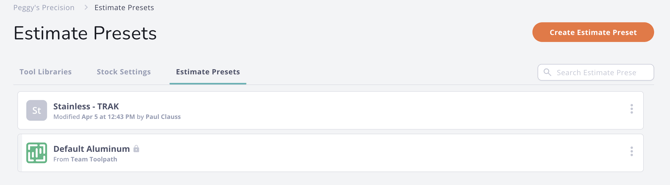
Go to theLibraries > Estimate Presetspage.
-
Select the orangeCreate Estimate Presetbutton in the upper right hand corner.
-
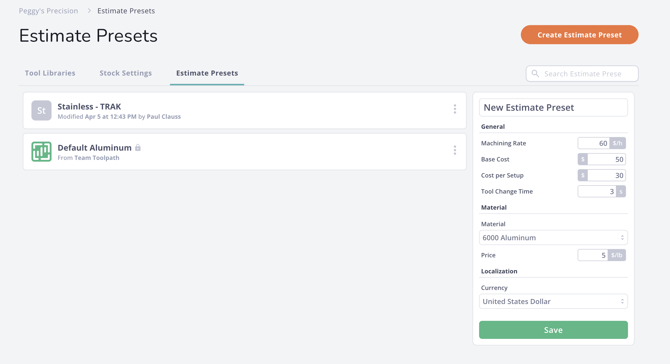
The new Estimate Preset entries will be shown on the right hand side of the Toolpath window:
-
Name your new Preset by replacingNew Estimate Preset. We recommend naming by material, or material and machine, as stock cost per cubic inch and tool change time will vary.
-
Fill out the Estimate Preset fields with the appropriate values for your shops capabilities. The Estimate Preset fields used by Toolpath are explained below:
-
**Machining Rate:**Enter your cost per hour for machining time.
-
**Base Cost:**Base cost is the flat rate price for you require for any job. Toolpath applies Base Cost to an estimate only once and does not multiply the base cost by part quantity.
-
**Cost Per Set-Up:**Enter your cost per setup flat rate OR uncheck "Used Fixed Setup Price" to define your hourly rate and average setup duration. This is multiplied by the number of required setups to machine the part in the estimate, but not by part quantity.
-
**Tool Change Time:**Enter the tool change time for your machine.
-
- **Material:**Select the part material from the drop down list.
-
**Stock Cost Per Unit Weight:**Enter the cost of the stock material you are sourcing.
-
**Currency:**Select your, or your customers, local currency.
-
Click the greenSavebutton to save the new Estimate Preset.
-
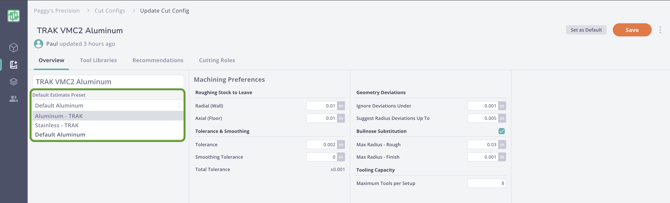
The Estimate Preset can now be applied as the default estimate preset in the overview page when editing or creating Cut Configs: